 |
 |
 |
 |
 |
 |
#275564 - 11/14/09 03:46 PM
 Re: This Friday I am getting a Roland E 80....
|

Registered: 04/25/05
Posts: 14524
Loc: NW Florida
|
An AWFUL lot of what you can mine from the web or members here will be legacy Roland styles. Sure, they WILL work in an E80, but they will likely sound nowhere NEAR their best. If I were you, one of the areas of the OS that I would spend the MOST time learning is the style Makeup Tools. This is where you can alter sounds, effects, dynamics and a lot of other things globally for the style, including selecting the best new E80 tones for the style, the best new drum kits (this is the main thing, for me...) and easily edit the drum kit. Change sounds in the kit, change velocity and volume (VERY important for hitting those vel-switched drum sounds right), change reverb sends, then the icing on the cake... Change the EQ for each drum individually, if it needs it. It can rapidly (or slowly, depends on how you work!) change a pile of poo into a polished diamond you would be proud to use live...   It is my #1 most used piece of the arranger, and is still one of the primary reasons I stick with Roland. If they make tweaking styles easy, you are more likely to do it..! And that will make for a better comparison sonically between E80 ROM styles, and whatever you pick up out there in styleland, and hence make you HAPPY to use them. And, IMHO, variety of styles is the one thing that keeps you coming back to an arranger year after year after year... Give the Makeup Tools as much time as you can. It WILL pay off for you...
_________________________
An arranger is just a tool. What matters is what you build with it..!
|
|
Top
|
|
|
|
|
 |
 |
 |
 |
 |
 |
|
|
|
|
|
|
|
#275565 - 11/14/09 09:58 PM
Re: This Friday I am getting a Roland E 80....
|
Senior Member
Registered: 11/25/00
Posts: 1211
Loc: Queretaro, Mexico
|
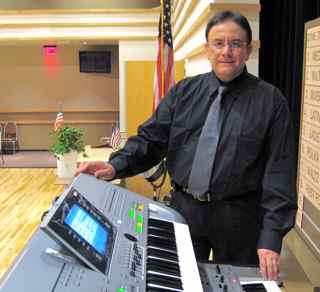
I took my E 80 and my T3 to the gig for my Saturday evening dance, I can say that I did the job at least 90% on the E80, with some counter sounds from my T3 (mainly those S.A.2 sounds) I like it.
I miss the octave buttons physicaly, they are much faster than going into a menu, I am talking real time.
I did program 9 pages of user programs=registrations (9X8), I did use in did the Make up tools for the styles, is very handy, similar to the Console mixer only with more control.
It has lots of presence.
My very good friend Tapas Das was with me when the UPS guy delivered Friday evening(very late, almost 8PM), and he also went with me to this gig, he helped me to carry the E80 since I do not have (yet) a case or bag to carry it.
Well, time to go and fine tune those registration....upsss...User Programs.
------------------
mdorantes
_________________________
mdorantes
|
|
Top
|
|
|
|
|
|
|
|
|
|
|
|
|
|
|
|
|
|
#275569 - 11/15/09 08:54 AM
Re: This Friday I am getting a Roland E 80....
|
Senior Member

Registered: 06/25/99
Posts: 16735
Loc: Benton, LA, USA
|
Originally posted by mdorantes:
I took my E 80 and my T3 to the gig for my Saturday evening dance, I can say that I did the job at least 90% on the E80, with some counter sounds from my T3 (mainly those S.A.2 sounds) I like it.
I miss the octave buttons physicaly, they are much faster than going into a menu, I am talking real time.
I did program 9 pages of user programs=registrations (9X8), I did use in did the Make up tools for the styles, is very handy, similar to the Console mixer only with more control.
It has lots of presence.
My very good friend Tapas Das was with me when the UPS guy delivered Friday evening(very late, almost 8PM), and he also went with me to this gig, he helped me to carry the E80 since I do not have (yet) a case or bag to carry it.
Well, time to go and fine tune those registration....upsss...User Programs.
Manual, you don't have to go into the menu to change ocataves. There's touch arrows near the bottom of the screen. Also, to answer a couple of questions in your email: First, you can set Hold parameters for the User Programs so that the Transpose doesn't change. Press and hold the HOLD button and the screen appears. Also, you can assign the volume pedal to do what you want. Press Menu and Controllers for that screen. You can save your choices to User Program. As top the chord issues, the fingering mode is saved in not only the User Program, but also in EACH of the OTS memories. You can easily change it though. Best way to globally change things is with Session Manager. DonM
_________________________
DonM
|
|
Top
|
|
|
|
|
|
|
|
|
|
|
|
|



 Previous Topic
 Index
Index